

Hamraaz Login is the official digital access point for Indian Army personnel to view and download their salary payslips, Form 16, service records, and career updates. The official portal is hamraazmp8.gov.in, and the personal login page is at web.hamraazmp8.gov.in. To log in, you need your PAN card number (in capital letters) as the User ID and your registered password.
Note: The Hamraaz mobile app was officially discontinued on 31 March 2023. As of 2026, all services are available exclusively through the web portal at hamraazmp8.gov.in. Any app claiming to be “Hamraaz 7.1 download” or similar is not an official release.
Quick Stats: Hamraaz Portal at a Glance
| Detail | Information |
|---|---|
| Portal Name | Hamraaz Web |
| Official Website | hamraazmp8.gov.in |
| Personal Login URL | web.hamraazmp8.gov.in |
| Developed By | Adjutant General’s Branch (MP-8), Indian Army |
| User ID for Login | PAN Card Number (capital letters) |
| Eligible Users | Serving Indian Army Personnel |
| App Status | Discontinued since 31 March 2023 |
| Key Services | Payslip, Form 16, Service Records, Pay Calculator |
| Helpline | Unit IT Cell / AG Branch MP-8 |
Disclaimer: This article is for informational purposes only. Salary figures are based on the 7th Central Pay Commission defence pay matrix and are subject to revisions by the Government of India. DA rates are updated periodically; verify the current rate from official government notifications. For portal access issues, contact your Unit IT Cell or the AG Branch MP-8 directly through official channels.
What is the Hamraaz Portal?
The Hamraaz portal is an official online platform developed and maintained by the Adjutant General’s Branch (MP-8) of the Indian Army. It was built to digitise administrative processes for serving Army personnel, eliminating the need for physical paperwork to access salary slips, tax documents, and career records.
Before Hamraaz, soldiers had to rely on unit-level paperwork and long processing times to obtain basic pay information. The portal streamlined this entirely, making financial and service data instantly accessible online.
The Hamraaz Login web portal caters exclusively to serving Indian Army personnel. It is not open to civilians, retirees (who use SPARSH), or personnel from the Defence Security Corps (who have a separate portal at dsc.gov.in).
Hamraaz Login: Step-by-Step Guide (2026)
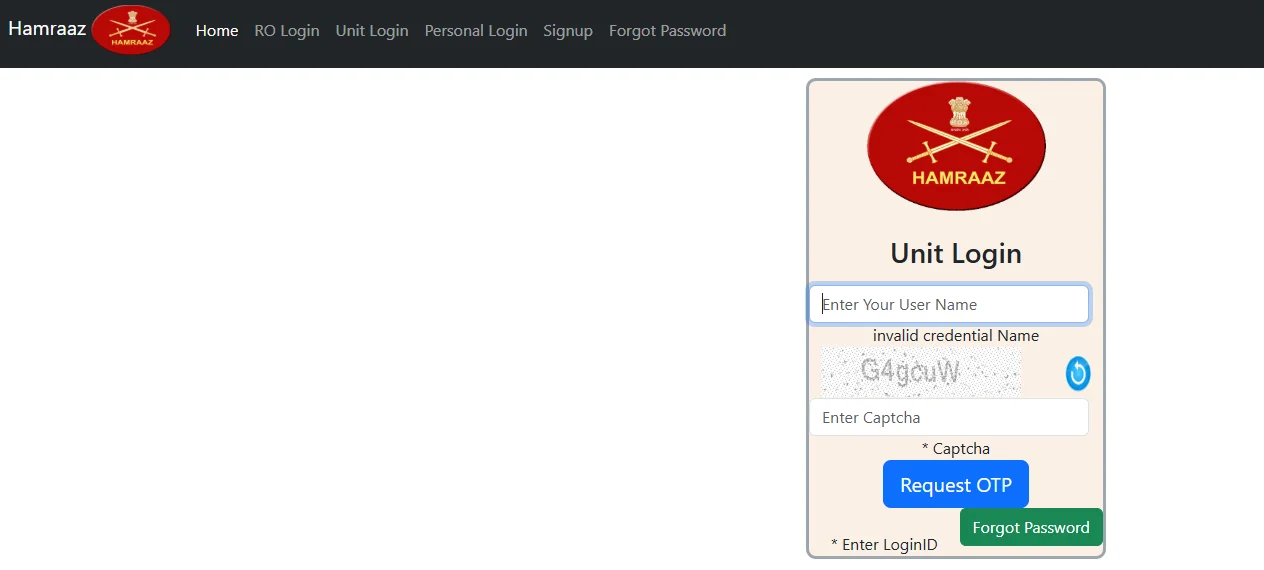
Hamraaz Personal Login Process
Follow these steps for Hamraaz Login Personal access:
- Open your browser and go to web.hamraazmp8.gov.in (the Hamraaz Login Personal Login Page).
- Click on “Personal Login” on the homepage.
- Enter your PAN Card Number in capital letters as the User ID (e.g., ABCDE1234F).
- Enter your password.
- Complete the CAPTCHA verification.
- Click Login to access your dashboard.
Once inside, you can view your payslip, download Form 16, check service records, and use the pay calculator.
What You Need Before Logging In
- PAN Card Number (your User ID for Hamraaz Login Personal)
- Registered password
- A stable internet connection
- Access to an official browser (do not use third-party apps)
How to Register for Hamraaz Login (First-Time Users)
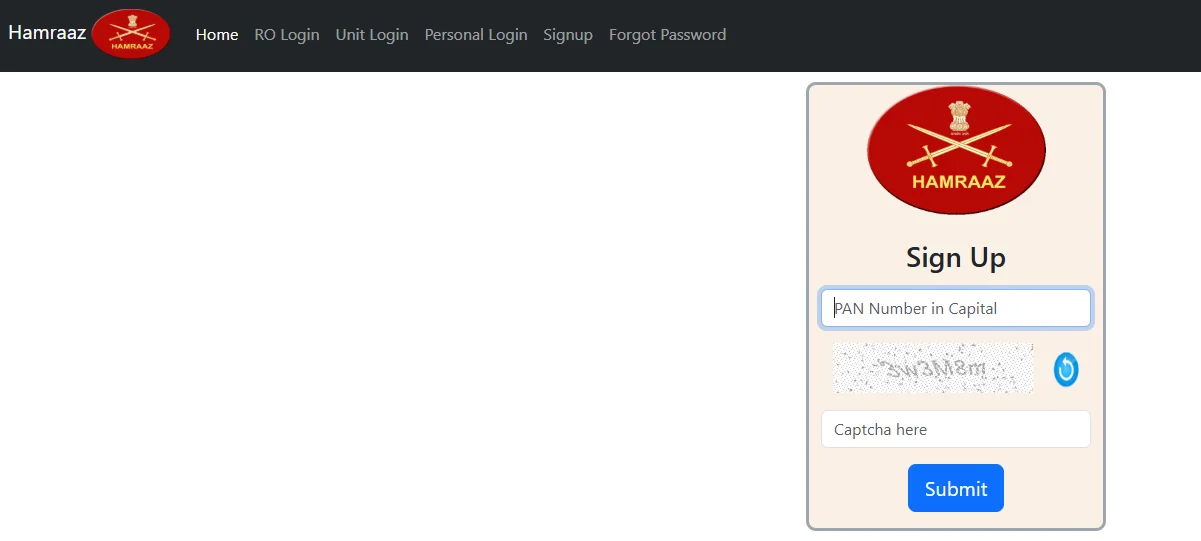
If you are accessing the portal for the first time, you need to complete a one-time registration before the Hamraaz Personal Login Password is set.
- Visit hamraazmp8.gov.in and click “Sign Up” or “New Registration”.
- Enter your PAN Card Number.
- Enter your Date of Enrollment (DOE).
- Enter your Employment ID (EMP ID) — this is available on any old payslip.
- Create a new password and confirm it.
- Submit the form to complete registration.
After registration, use your PAN number and newly created password for all future Hamraaz Login Personal sessions.
Hamraaz Login Payslip Download (2026)
Downloading your payslip is one of the most frequently used features after Hamraaz Login.
Steps to Download Payslip
- Complete your Hamraaz Login Personal Login at web.hamraazmp8.gov.in.
- Navigate to “PaySlip / Form-16” from the dashboard menu.
- Select Payslip from the options.
- Choose the month and year for which you want the payslip.
- Click “Download Payslip” — the file generates as a PDF.
Important: The payslip PDF is password-protected. The default password to open it is typically your date of birth in DDMMYYYY format, though this may vary. Confirm with your unit IT cell if the password does not work.
What the Payslip Shows
The Hamraaz Login Payslip Download provides a complete monthly salary statement including:
- Basic Pay
- Military Service Pay (MSP)
- Dearness Allowance (DA)
- House Rent Allowance (HRA)
- Transport Allowance (TA)
- Field/Operational Allowances (where applicable)
- Total Gross Earnings
- Deductions (DSOP Fund, AGIF, NPS contribution, income tax)
- Net In-Hand Salary
Indian Army Salary Structure Visible on Hamraaz Payslip
The salary visible after Hamraaz Login reflects the 7th Central Pay Commission (CPC) structure with Military Service Pay. Here is a rank-wise overview based on current data.
Rank-wise Salary Table (7th CPC, 2026)
| Rank | Pay Level | Basic Pay (₹) | MSP (₹) | DA at 60% (₹) | Approx. Gross (₹) |
|---|---|---|---|---|---|
| Sepoy (GD) | 3 | 21,700 | 5,200 | 16,140 | ~43,000 |
| Naik | 4 | 25,500 | 5,200 | 18,420 | ~49,000 |
| Havildar | 5 | 29,200 | 5,200 | 20,640 | ~55,000 |
| Subedar | 7 | 44,900 | 5,200 | 30,060 | ~80,000 |
| Subedar Major | 8 | 47,600 | 5,200 | 31,680 | ~85,000 |
| Lieutenant | 10 | 56,100 | 15,500 | 43,560 | ~1,14,000 |
| Captain | 10B | 61,300 | 15,500 | 46,080 | ~1,23,000 |
| Major | 11 | 69,400 | 15,500 | 50,940 | ~1,35,000 |
| Lt Colonel | 12 | 1,21,200 | 15,500 | 82,020 | ~2,18,000 |
| Colonel | 13 | 1,30,600 | 15,500 | 87,660 | ~2,34,000 |
| Brigadier | 13A | 1,39,600 | 15,500 | 93,060 | ~2,48,000 |
| Major General | 14 | 1,44,200 | 15,500 | 95,820 | ~2,55,000 |
DA is calculated on Basic Pay + MSP as per defence pay rules. Gross figures are approximate and vary by posting, allowances, and deductions.
Key Salary Components
Basic Pay: The foundation of salary at the respective Pay Level as per the 7th CPC defence pay matrix.
Military Service Pay (MSP): A fixed monthly amount paid exclusively to defence personnel. Officers (Level 10 and above) receive ₹15,500 per month. JCOs and Other Ranks (Levels 1–9) receive ₹5,200 per month. MSP is counted as basic pay for calculating DA and HRA.
Dearness Allowance (DA): Calculated as a percentage of Basic Pay + MSP. DA stands at 60% as of January 2026, though this figure is reviewed and revised twice a year by the central government.
House Rent Allowance (HRA): Varies by city classification — X (metro), Y (non-metro), or Z category postings. Calculated on Basic Pay + MSP.
Transport Allowance (TA): Fixed by city category and pay level.
Field / Operational Allowances: Additional allowances for high-altitude postings, field areas, Siachen, counter-insurgency zones, and similar hardship postings. These are in addition to the standard pay and significantly increase take-home salary.
Deductions Visible on Hamraaz Payslip
| Deduction | Description |
|---|---|
| DSOP Fund | Defence Services Officers’ Provident Fund |
| AGIF | Army Group Insurance Fund premium |
| NPS Contribution | National Pension System (for post-2004 recruits) |
| Income Tax (TDS) | Based on taxable income after exemptions |
| Recovery (if any) | Advance recovery, mess charges, etc. |
How to Download Form 16 via Hamraaz Login
Form 16 is the income tax certificate issued to Army personnel for ITR filing. It is available on the Hamraaz Login web portal.
- Log in at web.hamraazmp8.gov.in using Hamraaz Login Personal credentials.
- Navigate to “PaySlip / Form-16” and select Form 16.
- Choose the financial year (e.g., 2025–26 for Assessment Year 2026–27).
- Click Download to save the PDF.
The ITR filing deadline for AY 2026–27 is 31 July 2026. Personnel should download their Form 16 from the portal before this date.
Hamraaz Login Web vs Other Defence Portals
Several defence portals serve different personnel groups. The Hamraaz Login Web portal is specific to Indian Army personnel. Here is a clear comparison:
| Portal | Serves | Key Function |
|---|---|---|
| Hamraaz (hamraazmp8.gov.in) | Serving Indian Army personnel | Payslip, Form 16, service records |
| DSC (dsc.gov.in) | Defence Security Corps personnel | DSC Hamraaz Login equivalent for DSC |
| SPARSH (sparsh.defencepension.gov.in) | Retired defence personnel (pension) | Pension slip, life certificate |
| ARPAN (arpan.railnet.gov.in) | Indian Railways pensioners | Pension management (unrelated to Army) |
| ARMAAN (armaan.gov.in) | Medical services for Army families | Hospital appointments, records |
If you are serving Indian Army personnel looking for your payslip, use Hamraaz Login at hamraazmp8.gov.in. If you are a retired officer, use SPARSH. If you belong to the Defence Security Corps, use the DSC portal.
Hamraaz Login Password Recovery
If you have forgotten your Hamraaz Login Personal Login Password, follow these steps:
- Visit web.hamraazmp8.gov.in.
- Click on “Forgot Password”.
- Enter your PAN Card Number.
- Verify your identity using the options provided (typically Date of Enrollment or Employment ID).
- Set a new password and confirm it.
If the online reset does not work, contact your Unit IT Cell or write to the AG Branch MP-8 for manual assistance.
Hamraaz Admin Login
The Hamraaz portal has a separate Admin Login section for authorised unit-level administrative users, typically the Unit IT Cell or records office staff. Admin access allows management of service records and personnel data within the portal. Regular soldiers and officers should use Personal Login only and should not attempt Admin Login.
Hamraaz Pay Calculator: How It Works
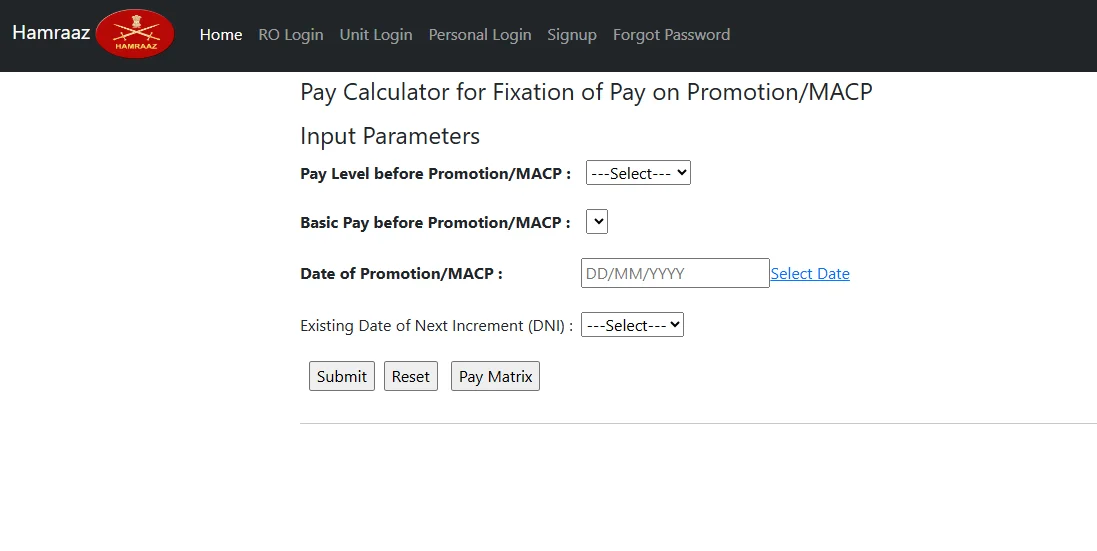
The Pay Calculator inside the Hamraaz Login portal helps personnel estimate revised pay after promotion or MACP (Modified Assured Career Progression). MACP is a pay upgrade granted at 8, 16, and 24 years of service when promotion has not occurred.
To use it: log in, navigate to the Pay Calculator, enter your current Pay Level and Basic Pay, and input promotion or MACP details. The tool returns an estimated revised gross pay. It is especially useful for JCOs and Other Ranks (Havildar, Naik, Subedar level) planning around upcoming MACP timelines.
Common Hamraaz Login Errors and Fixes
Many personnel face login issues, especially after long gaps between logins or after a portal update. Here are the most common problems and their solutions:
| Error | Likely Cause | Fix |
|---|---|---|
| Invalid User ID or Password | PAN entered in lowercase | Re-enter PAN in ALL CAPITAL LETTERS |
| CAPTCHA not loading | Browser/network issue | Refresh the page or try a different browser |
| Account locked | Too many failed login attempts | Contact Unit IT Cell to unlock |
| Payslip not found | Month/year selected incorrectly | Recheck the month and year combination |
| PDF not opening | Wrong password entered | Try DOB in DDMMYYYY format; check with IT cell |
| Page not loading | Old bookmark or cached URL | Type hamraazmp8.gov.in directly in the address bar |
Always access the portal by typing hamraazmp8.gov.in directly in your browser rather than clicking on search result links, to avoid landing on unofficial mirror sites.
Important Security Warnings for Hamraaz Login 2026
The Indian Army has issued official warnings about fake portals and malicious apps. Soldiers must be careful about the following:
- Only use hamraazmp8.gov.in — no other website is official.
- Do not download any app claiming to be the Hamraaz app. The official mobile app was discontinued in March 2023 and is no longer available on any app store.
- Never share your PAN, Aadhaar, or bank account details on any website other than the official portal.
- Ignore any website or link asking for your credentials outside of hamraazmp8.gov.in.
- Hamraaz 7.1 Download links circulating online are not official releases. There is no current official Hamraaz app version.
- Hamraaz Login 2025 or Hamraaz Login 2026 guides that direct you to a third-party site or APK download are unofficial and potentially harmful.
Services Available After Hamraaz Login
Once logged into the Hamraaz Login Personal Login Page, the following services are available:
- Payslip Download — Monthly salary slip as a PDF for any past month
- Form 16 Download — Annual income tax certificate for ITR filing
- Service Records — View posting history and service details
- Promotion Status — Check career progression updates
- Pay Calculator — Estimate salary fixation on promotion or MACP
- Part II Orders — Official service-related orders
- Grievance Submission — Submit service-related complaints online
- AFPP Fund Changes — Modify Armed Forces Personnel Provident Fund subscription
Hamraaz Login App: Current Status in 2026
Many personnel still search for the Hamraaz Login App or Hamraaz 7.1 Download. The position in 2026 is straightforward:
- The official Hamraaz mobile application was discontinued on 31 March 2023.
- As of 2026, there is no officially released or supported version of the app.
- All services previously available on the app are now fully accessible via web.hamraazmp8.gov.in on any smartphone browser.
- Any APK file or Play Store listing for “Hamraaz” is unofficial and should not be downloaded.
For mobile access, simply open your phone’s browser and navigate to web.hamraazmp8.gov.in — the website is fully mobile-responsive.
Humraaz Mp8.gov.in: Addressing Alternate Spellings
Users often search for Humraaz Mp8.gov.in (with a ‘u’) or variations such as “Hamraaz Login Web” or “mp8 hamraaz.” All of these refer to the same official portal.
The correct domain is hamraazmp8.gov.in, developed by the MP-8 branch (Military Personnel, Branch 8) of the Adjutant General’s Branch of the Indian Army. The suffix “mp8” refers to this internal designation, not to Madhya Pradesh.
Conclusion
Hamraaz Login at hamraazmp8.gov.in is the single official gateway for Indian Army personnel to access their salary records, download payslips and Form 16, and manage service-related documents in 2026. The Hamraaz Login Personal interface is straightforward: your PAN card number is your User ID, and all services previously available via the app are now on the web portal. With Form 16 needed for ITR filing by 31 July 2026, personnel should ensure their Hamraaz Login Personal Login is active. Avoid all third-party links, unofficial apps, and any site other than hamraazmp8.gov.in for your Hamraaz Login access.
FAQs: Hamraaz Login
Q1. What is the User ID for Hamraaz Login Personal?
Your PAN Card Number entered in all capital letters is your User ID.
Q2. How do I access Hamraaz Login Payslip Download?
Log in at web.hamraazmp8.gov.in, go to PaySlip/Form-16, select the month and year, and download the PDF.
Q3. Is the Hamraaz Login App available in 2026?
No. The app was discontinued on 31 March 2023. Use web.hamraazmp8.gov.in on your browser instead.
Q4. What is the password to open the Hamraaz payslip PDF?
The payslip PDF is typically opened using your date of birth in DDMMYYYY format. Check with your unit IT cell if this does not work.
Q5. What is DSC Hamraaz Login?
DSC refers to the Defence Security Corps, which has its own separate portal at dsc.gov.in. It is not the same as Hamraaz, which is for general Indian Army personnel.
Q6. Can civilians use Hamraaz Login?
No. The portal is exclusively for serving Indian Army personnel.
Q7. What is Hamraaz Login Pan Card used for?
Your PAN Card number serves as your User ID for logging into the Hamraaz portal.
Q8. Where do I go if I forget my Personal Hamraaz Login Password?
Click “Forgot Password” on web.hamraazmp8.gov.in, enter your PAN number, and follow the reset steps. Contact your unit IT cell if you cannot reset it online.
Q9. What is the difference between Hamraaz and SPARSH?
Hamraaz is for serving Army personnel (payslips, Form 16). SPARSH is for retired defence personnel and manages pension records.
Q10. Can I use Hamraaz Login on a mobile phone?
Yes. Open any mobile browser and go to web.hamraazmp8.gov.in. The site is mobile-responsive. No app is needed or available.
Q11. What is MACP and how does it relate to Hamraaz?
MACP (Modified Assured Career Progression) is a pay upgrade given at 8, 16, and 24 years of service if promotion does not happen. The Hamraaz Pay Calculator helps estimate revised pay after MACP. Updated pay after MACP is also reflected on subsequent payslips downloadable via Hamraaz Login.
Q12. Can I check leave encashment details on Hamraaz?
Leave encashment figures, where processed through the Army’s pay system, appear in the payslip for the relevant month. Download the payslip for that month via Hamraaz Login Payslip Download to view the details.
➽ If You Found This Article Helpful, Do Check Out Our Previous Blog Also:
- AirAsia CEO Salary
- Jana Nayagan Vijay Salary
- Asha Worker Salary
- GST Inspector Salary
- Satya Nadella Salary
- Emirates Cabin Crew Salary
- ISRO Scientist Salary
- DUSU President Salary
- PM Narendra Modi Salary Per Month
- Kamala Harris Salary
- Kaitlan Collins Salary
- Molly Qerim Salary
- Bihar Daroga Salary
- Kayleigh McEnany Salary
- Flipkart Delivery Boy Salary
- EMRS Hostel Warden Salary
- PCM Career Options With High Salary
- Radiologist Salary In India
- Bigg Boss 19 Contestants Salary List
- HRMS Bihar Salary
- Wing Commander Salary
- LIC Assistant Salary
- Group C Salary In West Bengal
- ICDS Supervisor Salary
- WCL Salary Slip
- RRB Section Controller Salary
- IB Security Assistant Salary
🎯 Your Go-to Source For Salary Information, Compensation Trends And Career Success Tips: Pay Scale Info
